
Spend your day creating, not wondering what’s wrong with your Mac. You know the feeling. A render crawls or playback stutters, the deadline is close, and you can’t tell if it’s the drive, the network, or the Mac itself. Pulse sits in your menu bar and shows you where things stand, so you can stop guessing and get back to work. Whether you work in video, AI, or anything else that pushes your hardware, Pulse is for you.
No cost to download or use. Requires macOS 26 or later.
Nothing derails a day like finding out halfway through a project that your drive can’t keep up. Test it before you start, in the codec, resolution, and frame rate you actually work in. If things slow down later, you’ll know where to look instead of blaming everything at once.
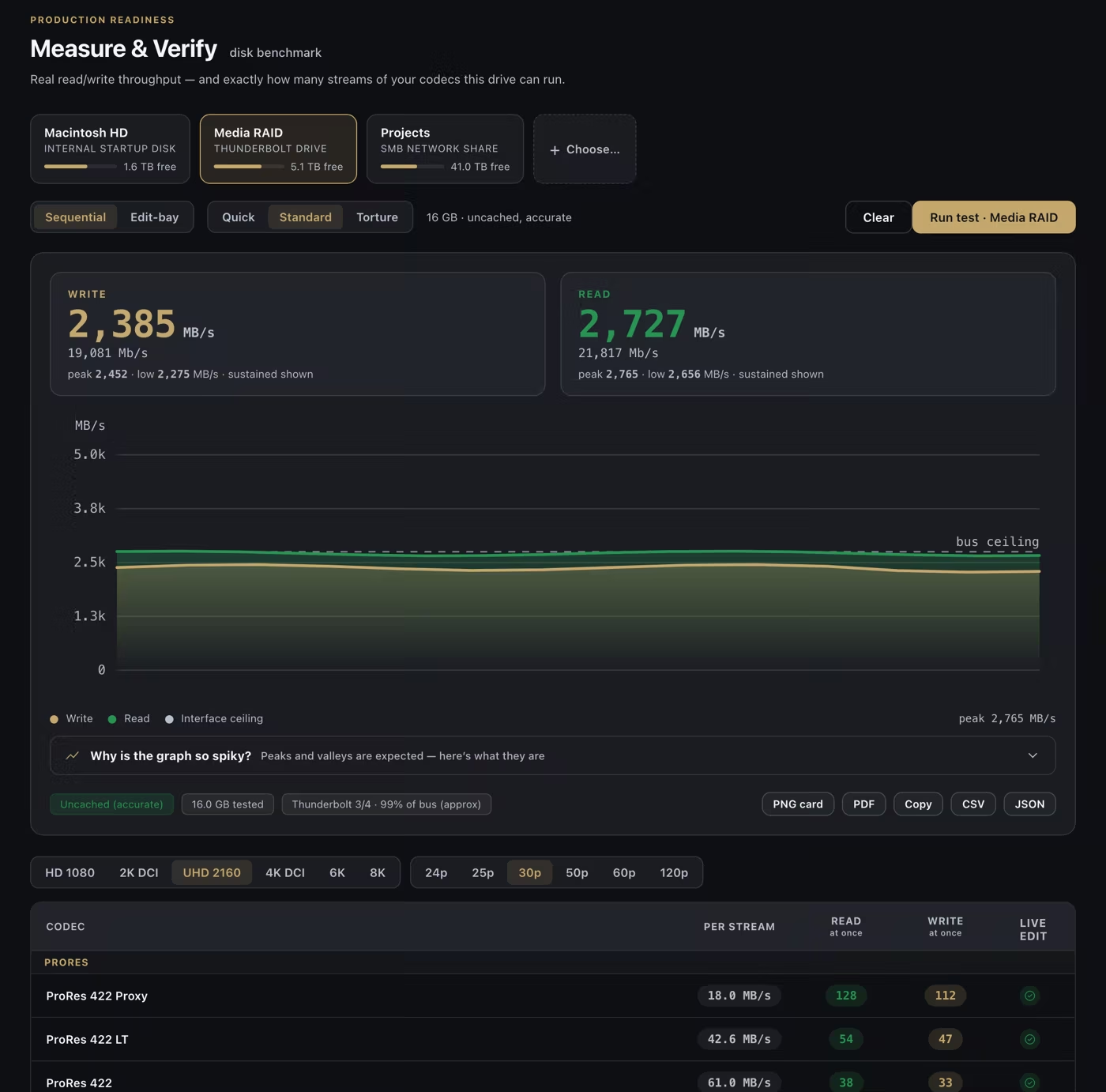
A finished Disk Speed test, and the streams of each codec the drive can carry.
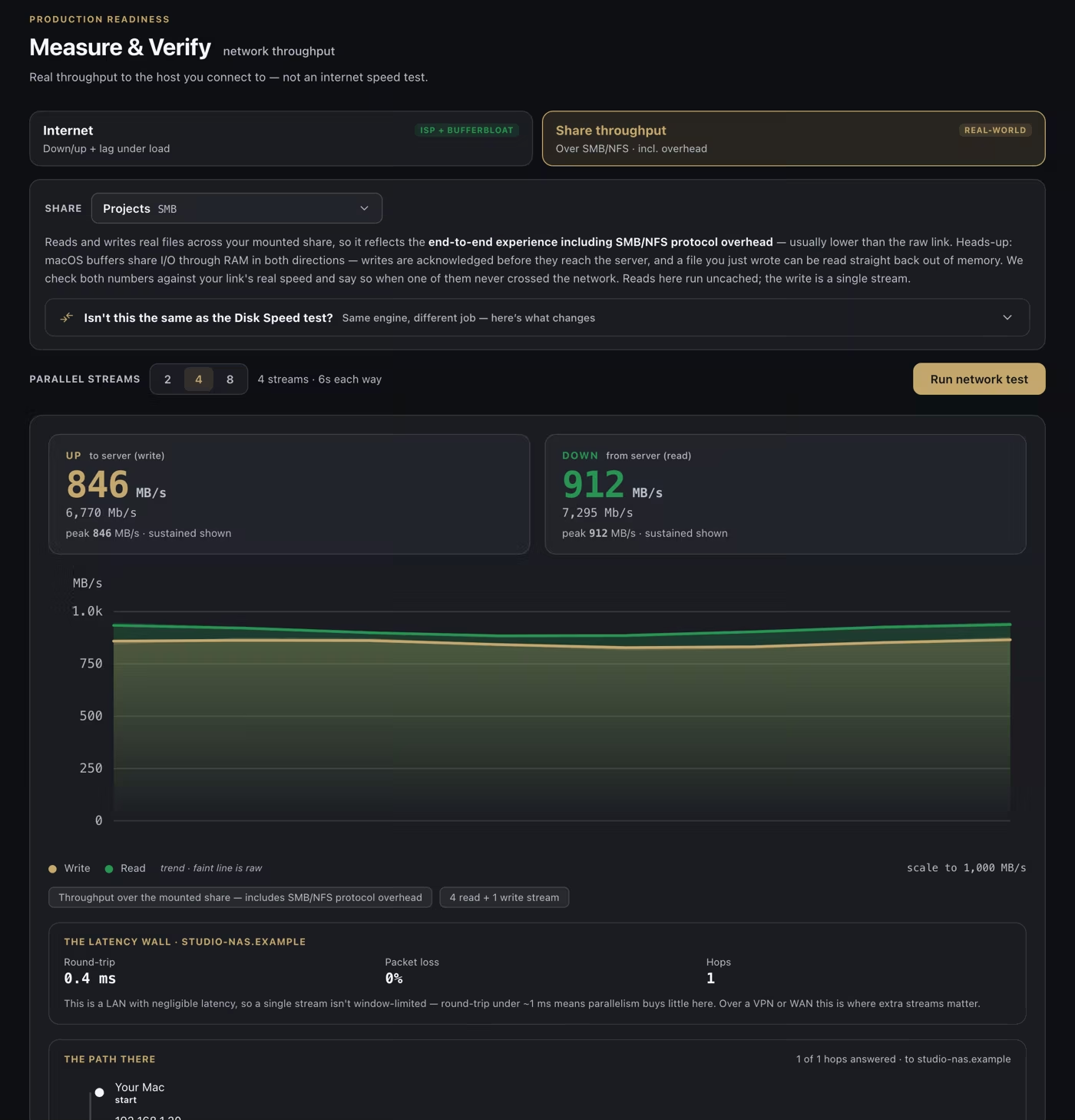
Know what a share can really deliver before you count on it.
Go to IT with evidence instead of a hunch.
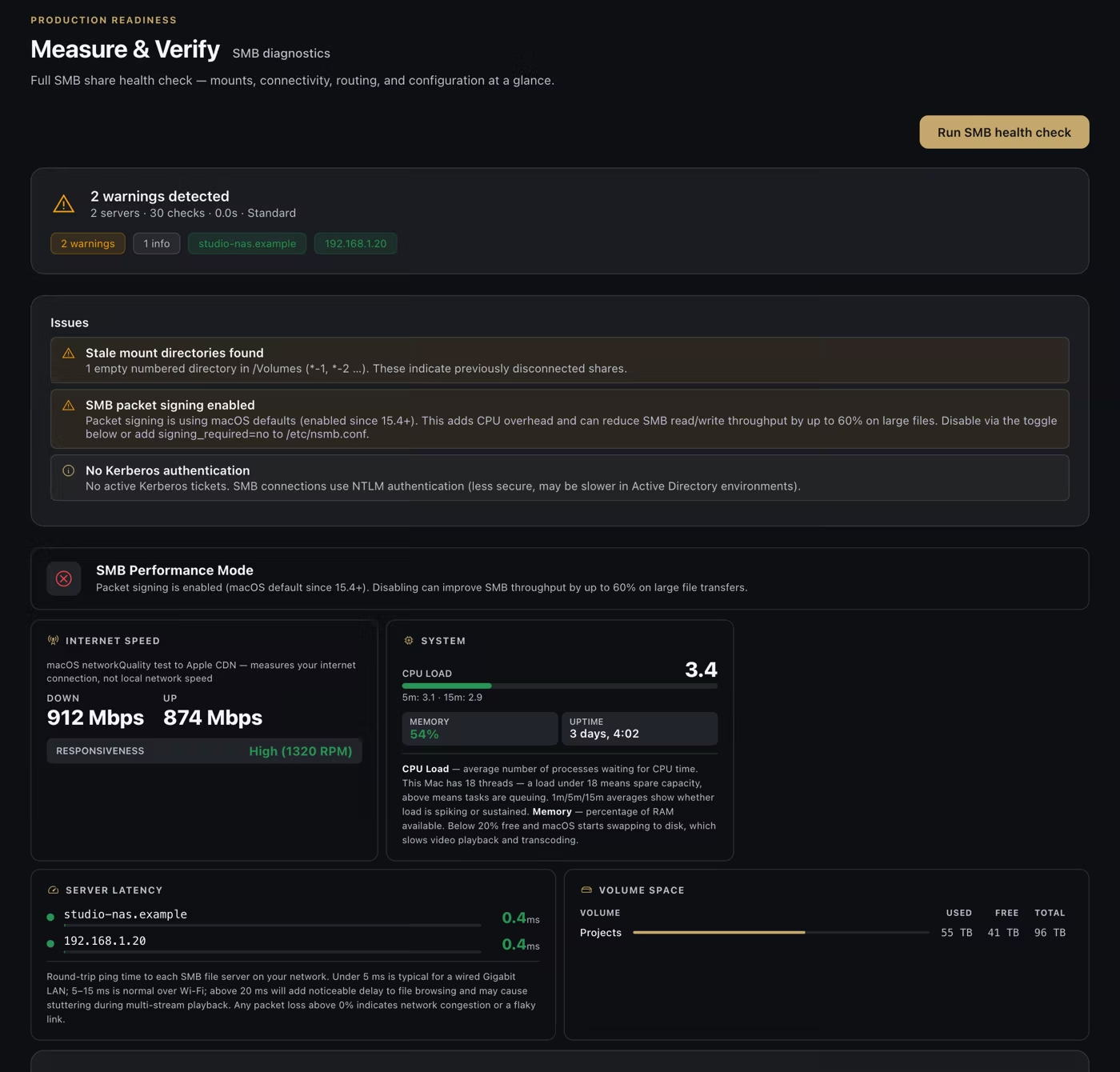
Every test runs only when you press Run, and your results stay on your Mac in Test History. Pictures show sample results on a sample Mac, drive and share.
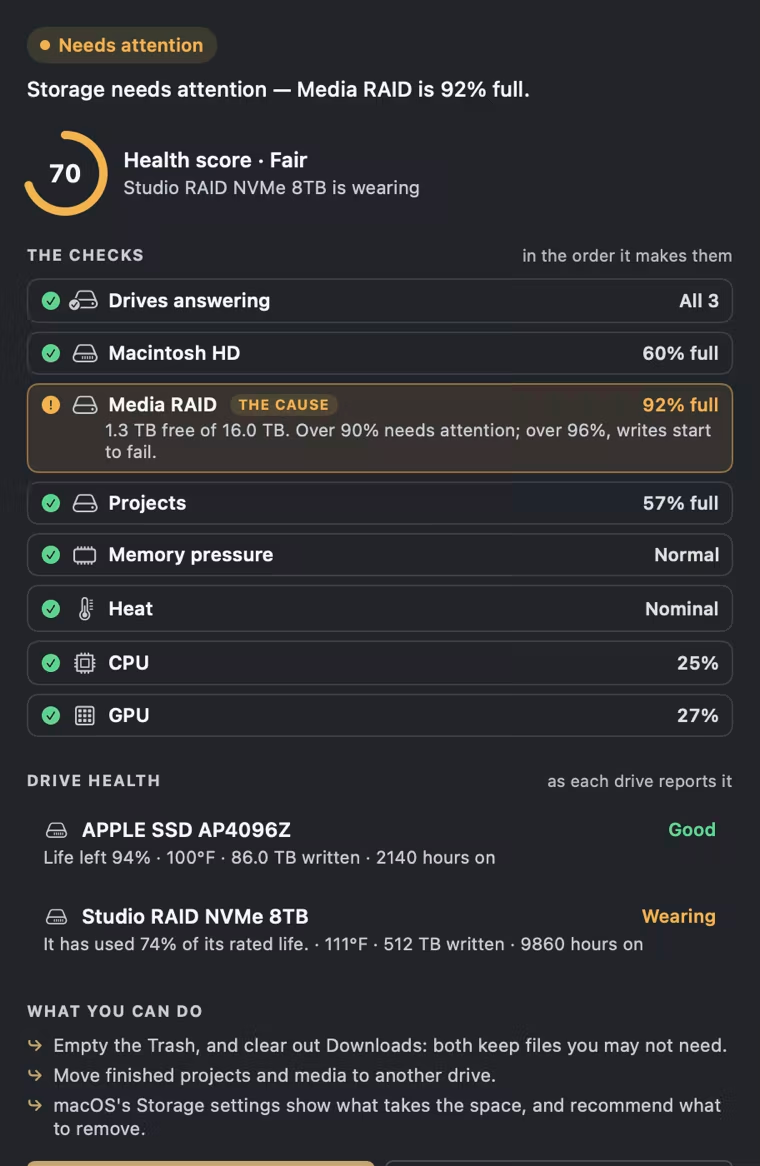
When your work starts to drag, the worst part is not knowing why. Pulse gives your Mac a live health score and tells you what’s pulling it down, so you fix the real problem instead of restarting things and hoping.

The Monitor HUD, floating over your timeline.
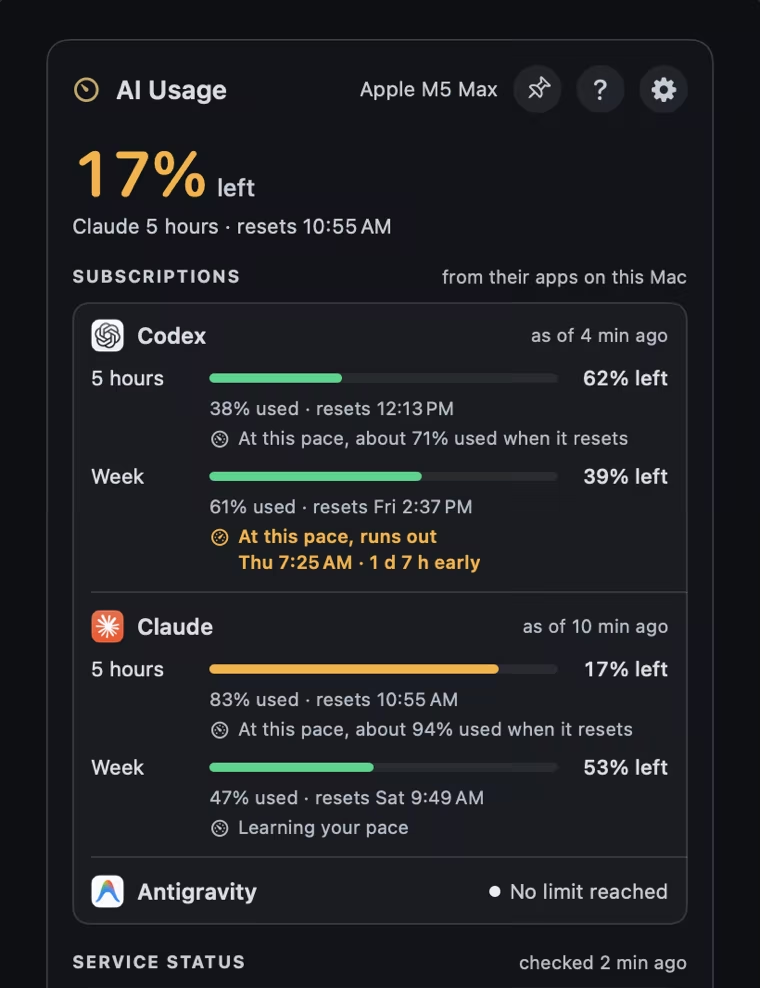
Few things are more frustrating than hitting your limit in the middle of a long task. See how much of your session and weekly allowances you have left in Codex, Claude, and Antigravity, and when each one resets, before you commit.
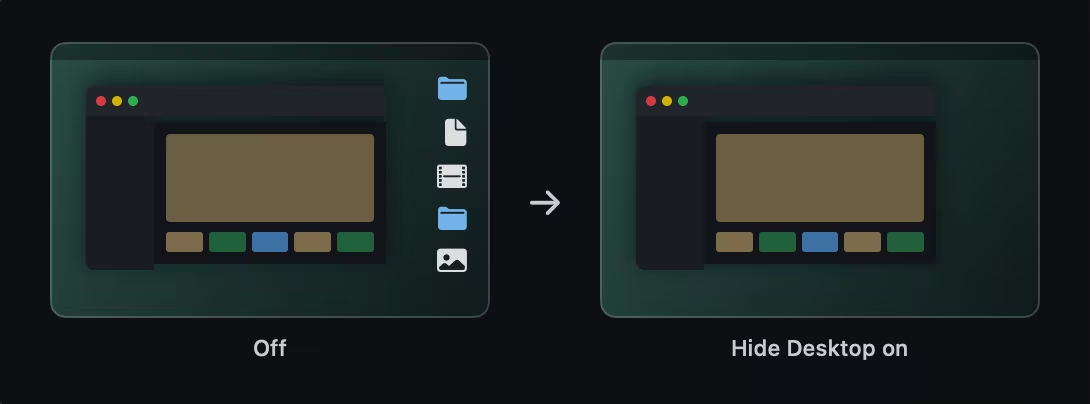
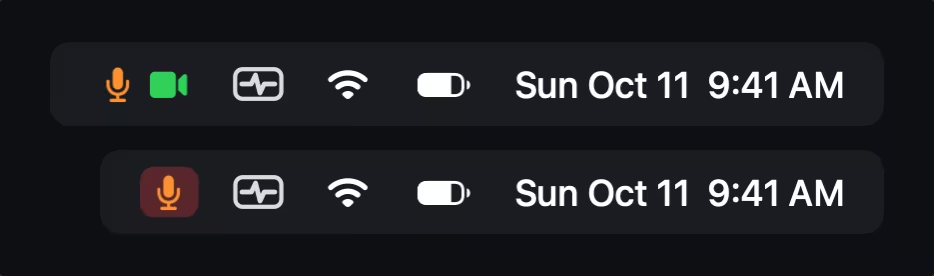
You’re about to present to a client and your desktop is a mess. One shortcut hides your icons and turns on Do Not Disturb, so all they see is the work. When the call is over, everything goes back.
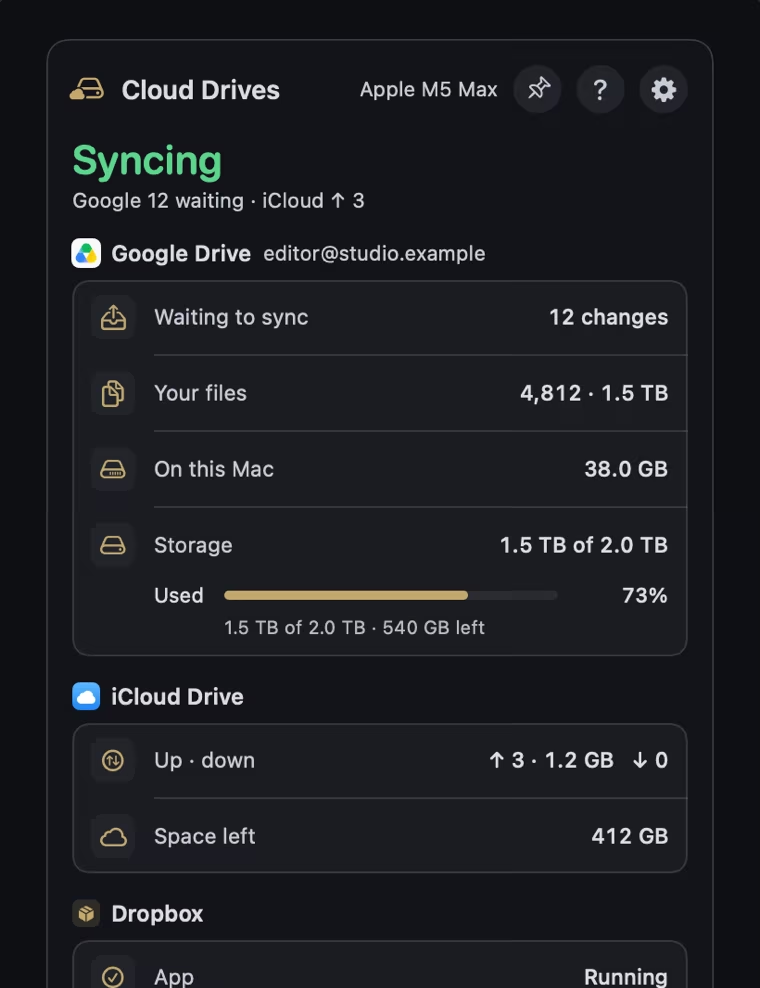
Waiting on files for a project or delivery is stressful enough without guessing whether the sync is working or stuck. See sync status and available space for Google Drive, iCloud Drive, Dropbox, and OneDrive in one place.
A shared drive drops for two minutes in the middle of an export, and all you have is a failed render and a bad feeling. With Rewind turned on, you can go back to that moment and see what your Mac was doing, so you have an answer instead of a mystery.
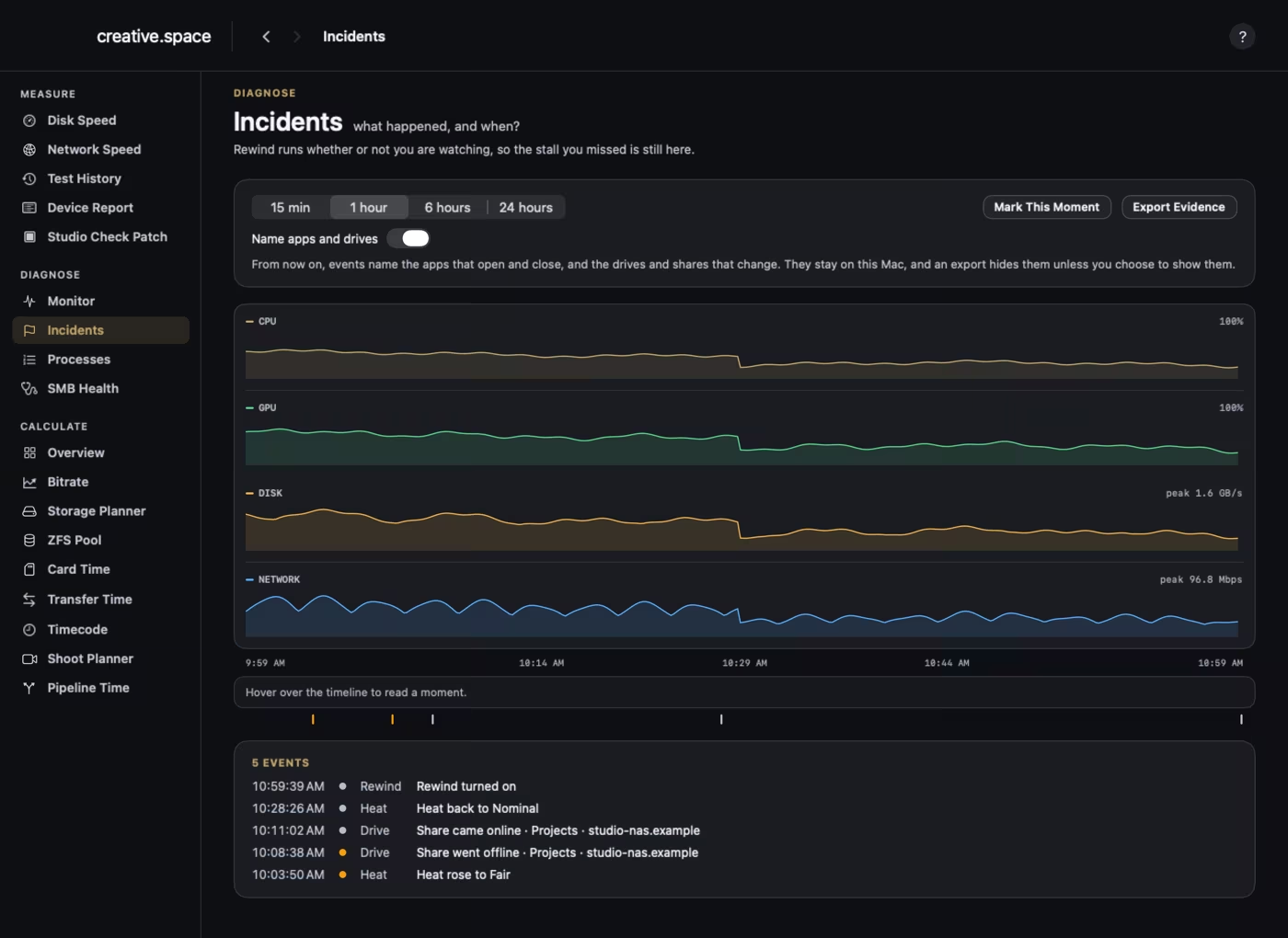
A share dropped for two minutes during an export, and it’s all still here.
Stop guessing how much storage to bring. Plan storage, card time, and transfer time using your own measured drive and network speeds.
Never lose track of picture lock. Delivery dates stay in your menu bar, with workdays counted.
Know a drive is wearing out before it lets you down. See how much life each NVMe drive has left.
When IT asks what you’re running, send one page.
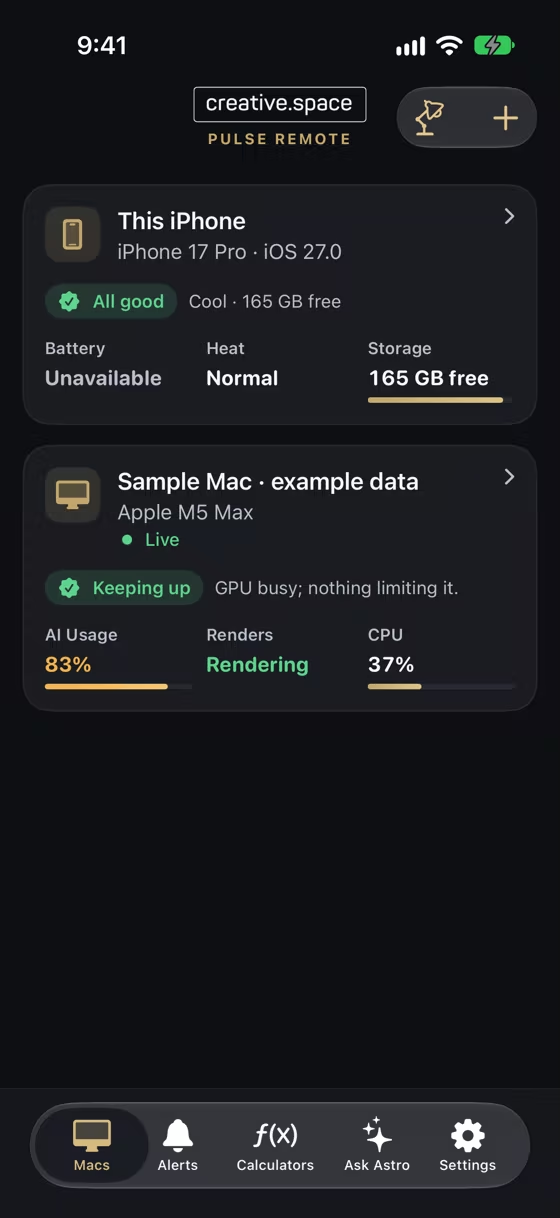
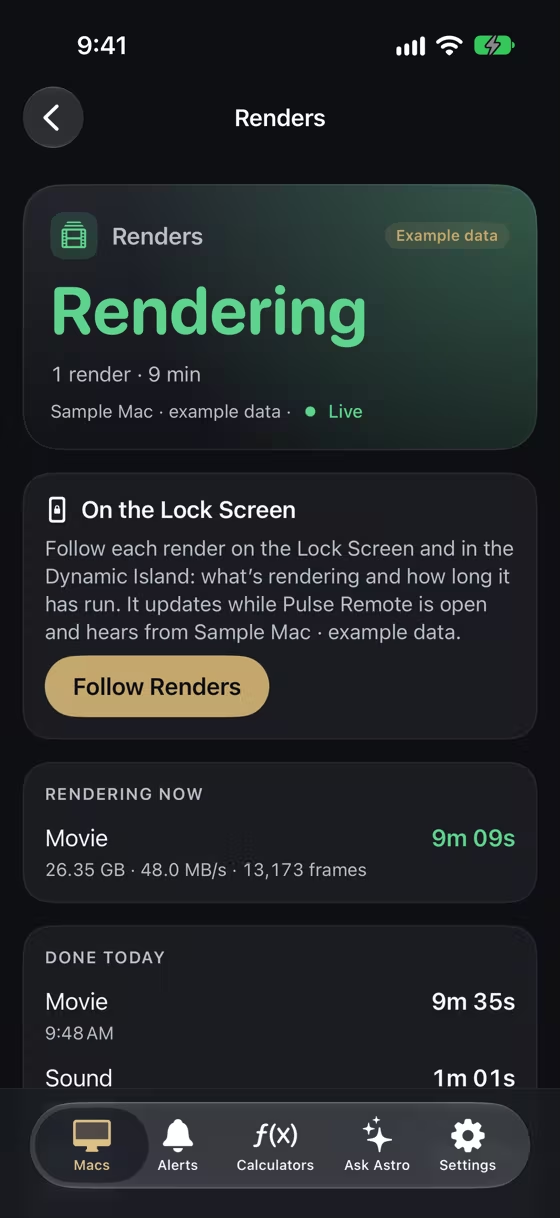
Go get lunch. With free Pulse Remote for iPhone and iPad, every Mac running Pulse is in your pocket: its health, its storage, and its renders as they finish. It only watches, so nothing in it changes your Mac. Coming to the App Store soon.
The free download includes all the Mac features shown here.


